Design & Identity
The Vignelli Document Engine: Every PDF I Make, in One House Style
Part 8 of the thread The design notebook
- What it is
- Python library
- My role
- Creator
- Year
- 2026
- Built with
- Python
- python-docx
- matplotlib
- One Python class, DocBuilder, turns plain data into a finished Word document in a strict Vignelli-style house look.
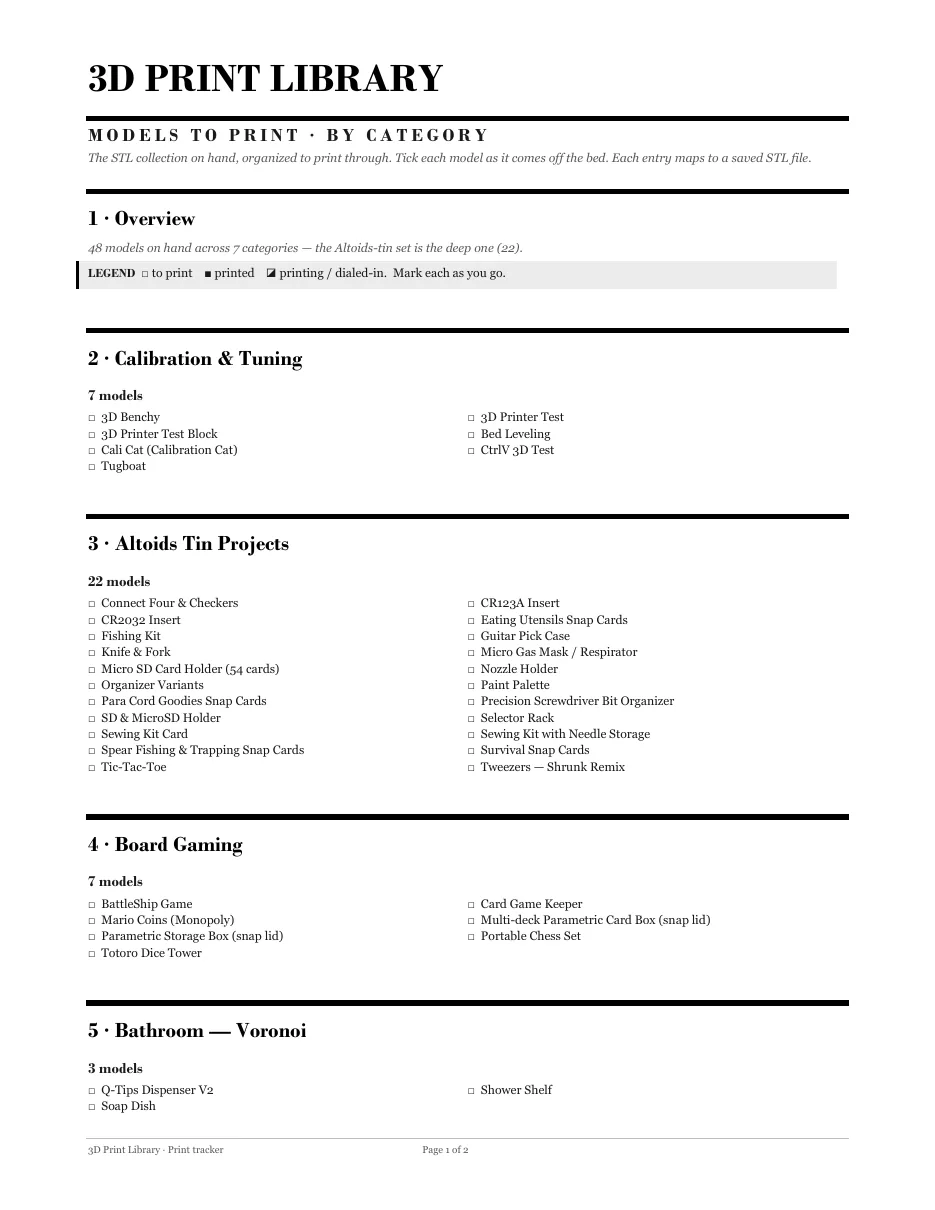
- Serif type, a hard grid, thick and thin rules, black-and-white charts and not one drop of color. It prints perfectly on a cheap laser.
- Recipes, reference sheets, catalogs and checklists all come out looking like they belong to the same set.
- The engine and a working example are a free download.
I print a lot of reference sheets. Kitchen conversions for the fridge, a catalog of things to 3D print, recipe cards, checklists. For years every one looked different, because every one started as a blank Word document and whatever mood I was in.
So I wrote the house style down, in code. The rules come from Massimo Vignelli, whose design rules I've written about before: a grid you don't break, a couple of typefaces used well, rules that mean something, and no decoration that isn't doing a job. The result is a small Python library, and every document I've made since goes through it.
What it does
You describe a document in plain Python, and DocBuilder turns it into a finished .docx:
from vignelli import DocBuilder

d = DocBuilder(title="Kitchen Reference",
               subtitle="Conversions · Ratios · Storage",
               descriptor="The look-it-up kitchen page.",
               footer_descriptor="Kitchen reference")
d.section(1, "Measurement Conversions")
d.table(["Measure", "Equals"],
        [["1 tablespoon", "3 teaspoons = 15 ml"],
         ["1 cup", "16 tbsp = 240 ml"]],
        widths=[3000, 6936])
d.callout("Note", "Pack brown sugar; spoon and level flour.")
d.save("output/Kitchen Reference.docx")
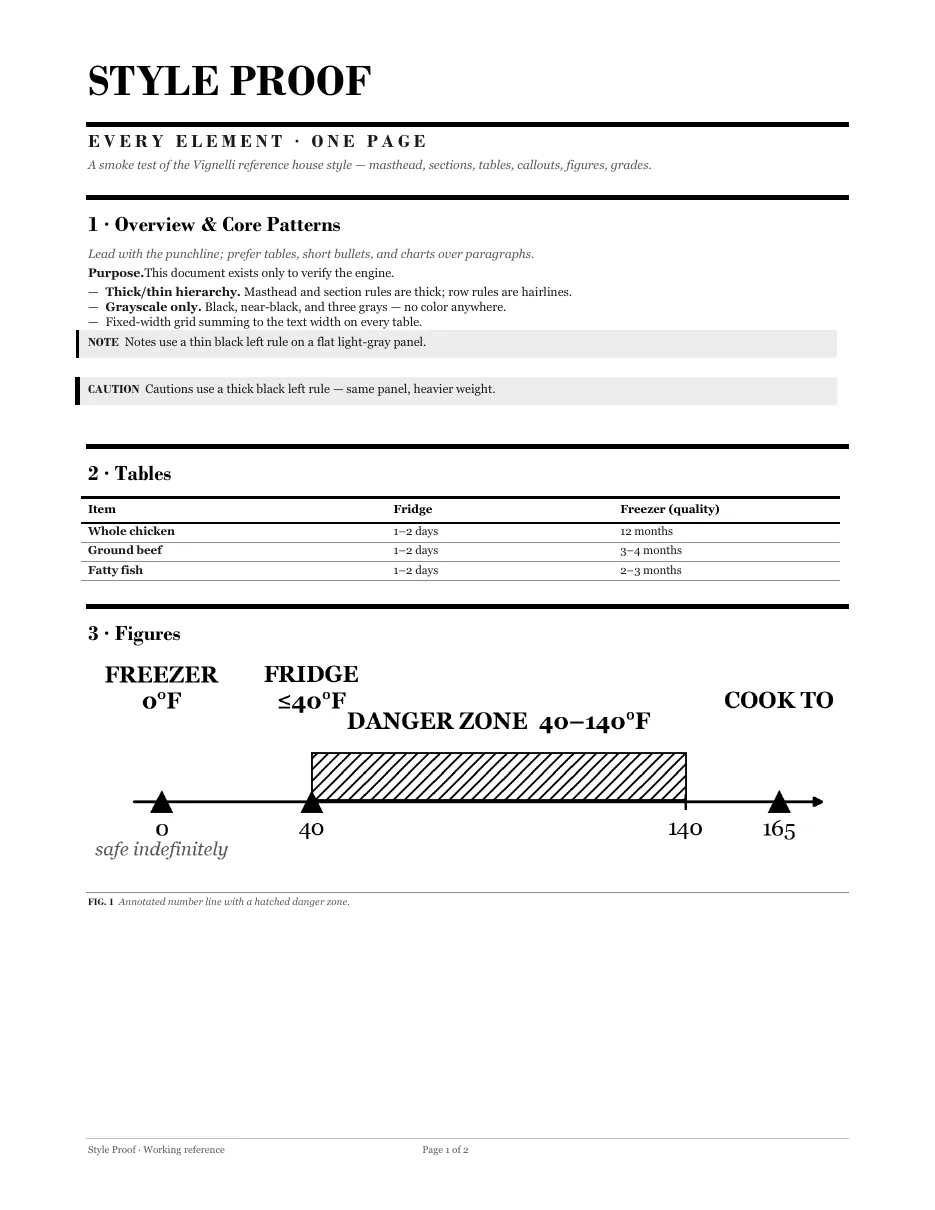
That's the whole interface: sections, paragraphs, tables, callouts, checklists, forms, recipes, figures. You never touch a font size, a margin or a border. The engine owns all of that, which is the point.
| Building block | What you get |
|---|---|
section() |
A numbered heading under a heavy rule |
table() |
Horizontal-rule tables, no vertical lines, no fills |
callout() |
A note with a thin rule, or a caution with a thick one |
checklist(), form(), log_grid() |
Printable pages you fill in with a pen |
recipe() |
Ingredients, steps and optional nutrition in one block |
figure() |
Any chart or image with a hairline caption |
grade_table() |
Scores marked ▲ ◆ ● ▼ instead of traffic-light colors |
The rules it enforces
The measurements are exact values pulled from a set of reference documents I was happy with. The code says, in so many words, not to round them off.
- Two typefaces. Bodoni MT for display, Georgia for everything else.
- A strict text width with margins wide enough for a hole punch, because these things end up in binders.
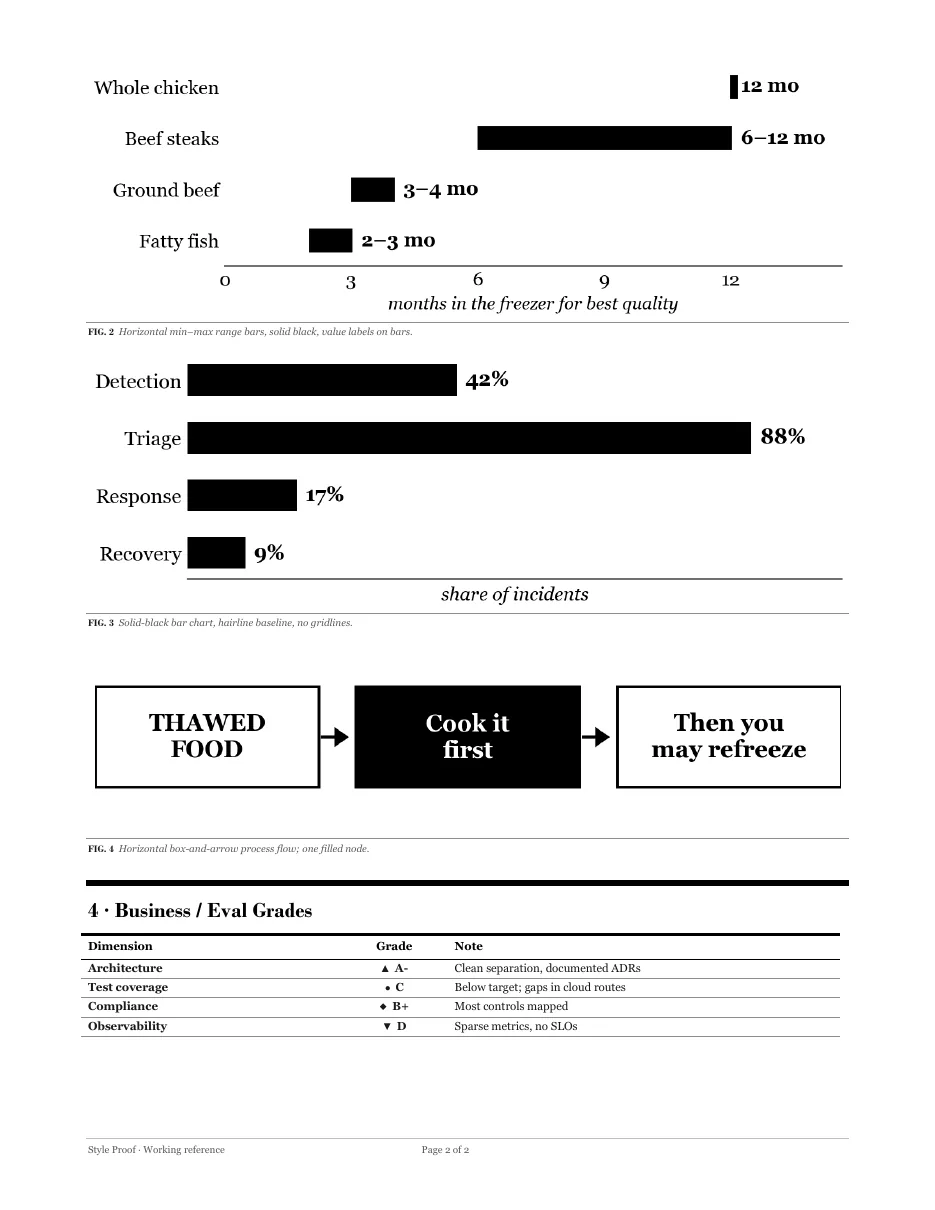
- A hierarchy of rules. Thick rules open sections and flag cautions. Medium rules sit under table headers. Hairlines separate rows. You can read the structure of a page from its lines alone.
- Zero color. Grayscale only, so it prints the same on a laser as it looks on screen.
Tip
Grayscale rules force better decisions. When you can't color-code a status, you have to design a shape or a label that means something, and that usually works better anyway.
Charts that match
The companion charts.py draws black-and-white graphics in the same spirit: solid black bars with the values on them, range bars, box-and-arrow flows, a number line with a hatched danger zone, and spider charts. There are no gridlines, no top or right axis lines, and no legend if a label can go on the mark itself.
What it makes
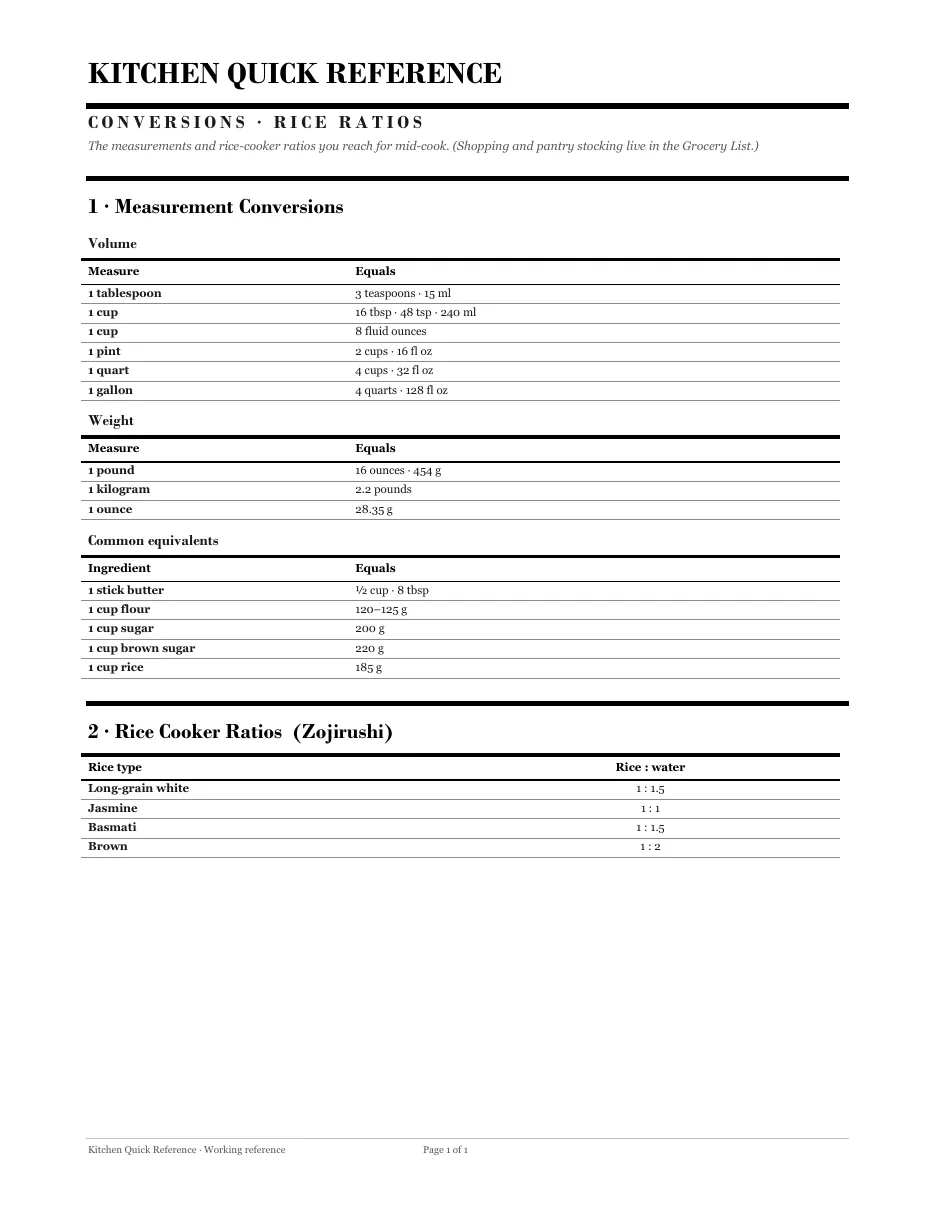
Most of what comes out of it is personal: household references, project catalogs, trackers. Two that are safe to show:
Get it
The engine is a free download: vignelli.py, charts.py, radar.py and a complete example that builds the kitchen reference above. It needs Python with python-docx and matplotlib.
Heads up
It's built around Bodoni MT and Georgia. Without Bodoni installed, Word quietly substitutes another font and the mastheads lose a lot of their character. Install the fonts first, or change the two font constants at the top of
vignelli.py.
It's a personal tool, shared as-is, not a polished package. If you like the Obsidian theme that grew out of the same obsession, this is its print-shop cousin.